KNOWLEDGE CENTRE
S4HANA AMS Patch Update (November 2022) – Permanent Changes to AMS
On November 5th, 2022 AMS will be updated with an SAP patch. As a result of this update, certain field names have changed in the FIS and Logistics modules. These naming changes are superficial, and do not change how to process transactions or generate reports.
There are two main changes:
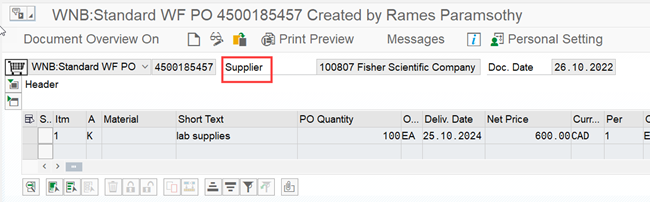
- In certain transactions screens and reports, fields previously labelled as Vendor have been changed to Supplier.
- Within Purchase Order and Purchase Requisition screens, certain fields in the Text tab are renamed.
Note: Going forward, SAP will be using the terms Vendor and Supplier interchangeably. As a result, the term Supplier will become more frequently used in the system.
Change #1 - Term Supplier has replaced Vendor in some screens
Key Transactions and Search Screens:
- ZER01 – Enter Expense Reimbursement Direct Deposit (ERDD)
- ME21N/ME22N/ME23N – Create, Change or Display Purchase Order
- FMZ1/FMZ2/FMZ3 – Create, Change or Display Earmarked Funds
- MIGO – Create Goods Receipt
- Vendor Account Search (i.e., FB60, ME21N and ME51N)
Key Impacted Reports:
- ZFIR079 – FI Postings Line Item report
- ZFIR079A – All Postings Line Item report
Examples:
Active Vendor Search
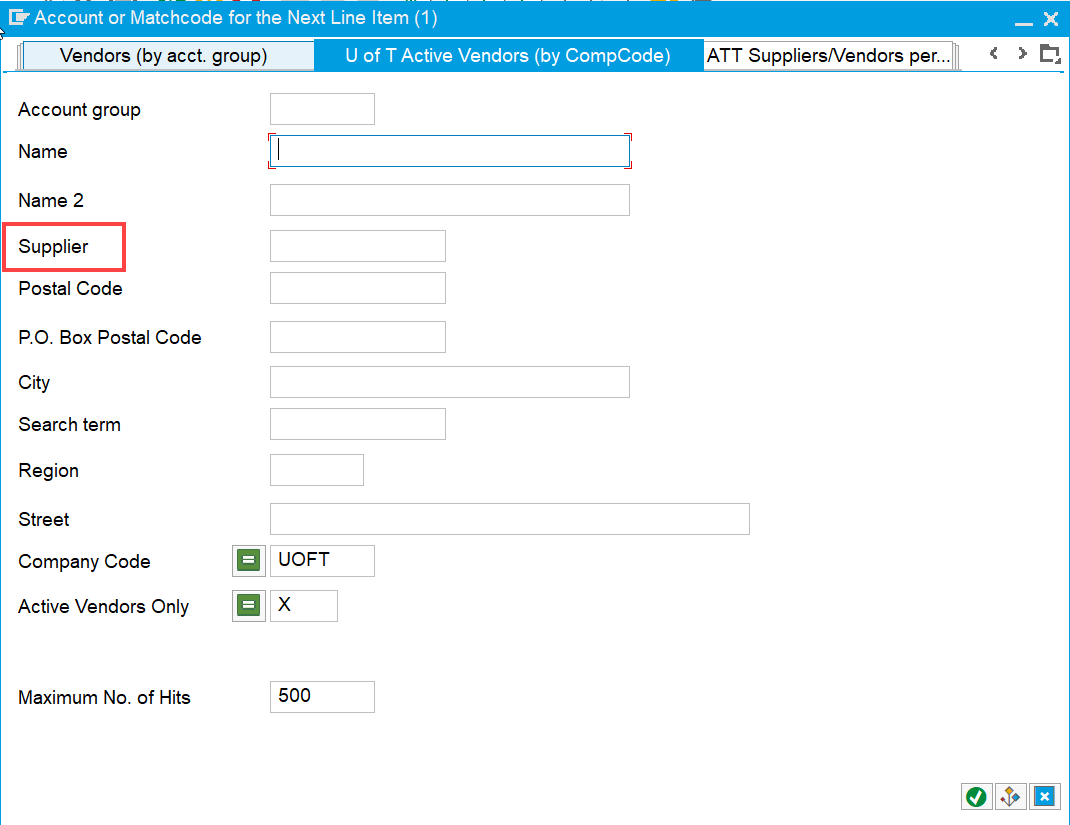
ZER01 – ERDD Create

ME21N/ME22N/ME23N – Purchase Order Create, Change and Display
Change #2 - Field Names Changed in the Item Text when creating, changing or displaying a Purchase Order
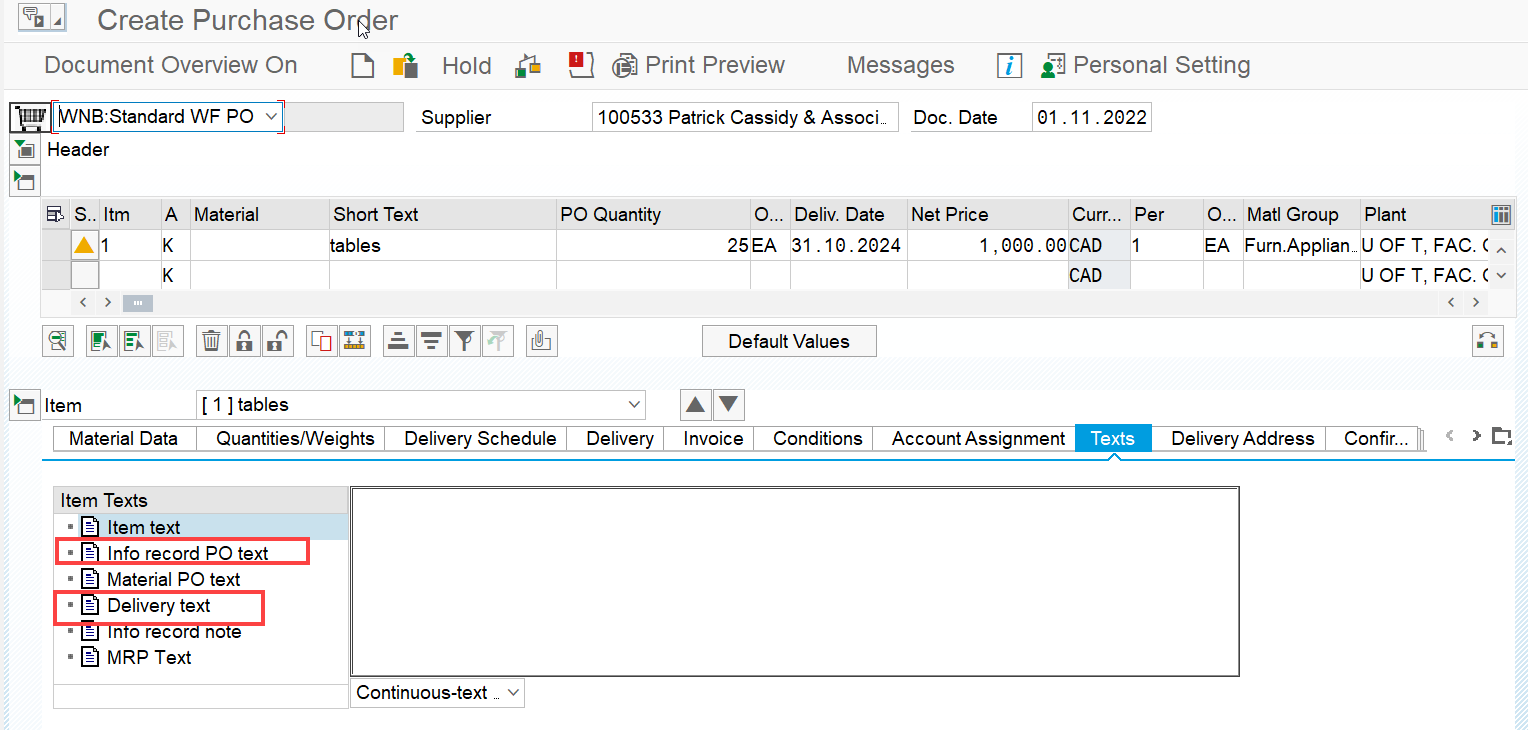
In both Purchase Order and Purchase Requisition screens, the Item Note and Delivery Address Override fields within the Item Details >> Texts tab have been renamed.
| Old Field Name | New Field Name | Key Impacted Transactions |
| Item Note | Info record PO text |
|
| Delivery Address Override | Delivery Text |
|
Example:
ME21N – Create Purchase Order
If you have any questions, please contact your FAST Team representative.
Last Updated: January 23, 2024