KNOWLEDGE CENTRE
How to Download a Copy of the Purchase or Lease Order
To get a PDF copy of the Purchase Order:
- Go to ME23N – Display Purchase Order
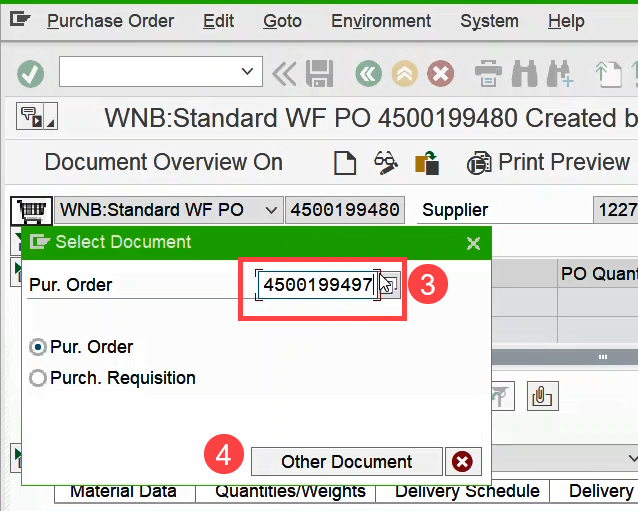
- Click Purchase Order >> Other Purchase Order
- Enter Purchase/Lease Order document number.
- Click Other Document.
- Click the
 button.
 - Click the Save as (
 )
) - Save the PDF locally, and forward to the vendor.

Last Updated: December 12, 2025