KNOWLEDGE CENTRE
How to Locate an EFT Vendor’s Email Address
When EFT payments are transmitted on Tuesdays, EFT vendors receive an email with a PDF copy of the remittance statement outlining all the payments included in a particular EFT transmission run.
On occasion, if the EFT vendor cannot locate the payment you can look up and provide them the email address that the remittance statement is sent to.
To locate the email address:
[expand title=”Step 1 – Display the invoice using the FB03 – Document Display screen.” expanded=”false” tag=”h4″]
Reference Guide – FB03 – Document Display
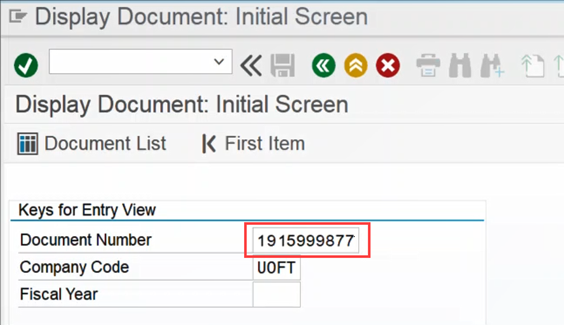
[/expand]
[expand title=”Step 2 – Double click on the vendor line” expanded=”false” tag=”h4″]
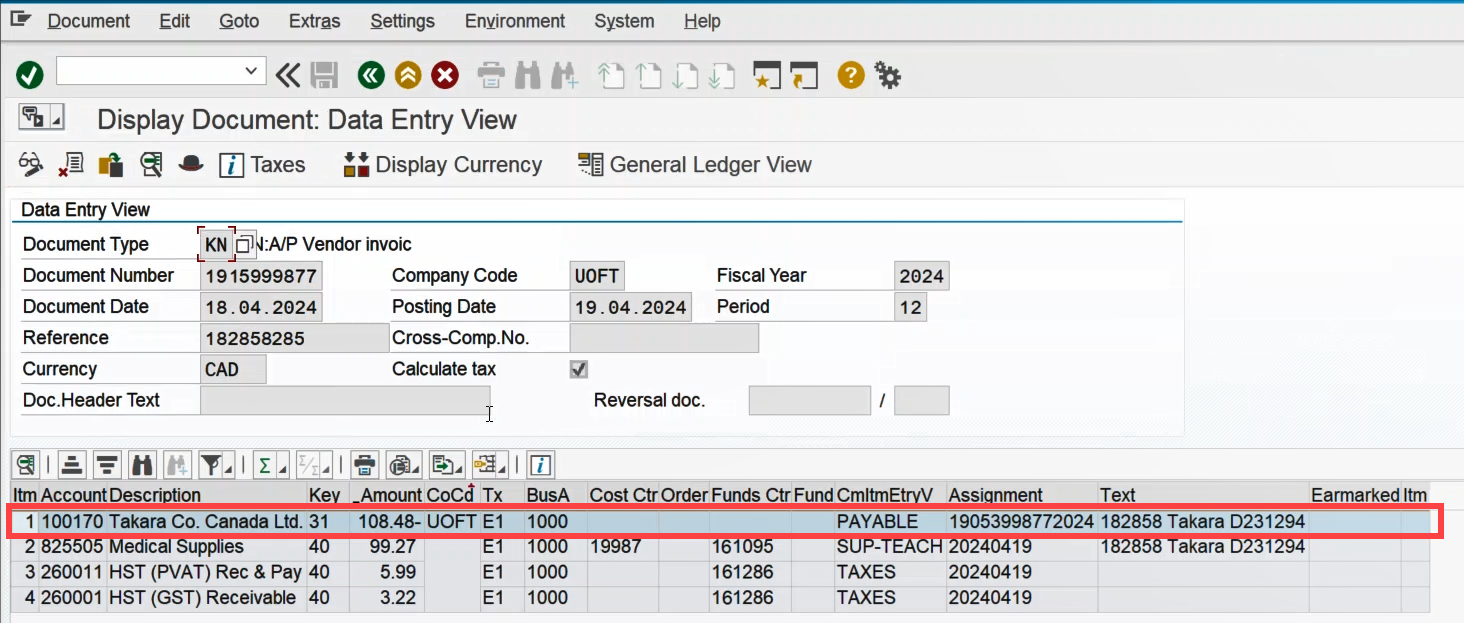
[/expand]
[expand title=”Step 3 – For payments to EFT vendors, the clearing number will begin with 36*. Double click the vendor number.” expanded=”false” tag=”h4″]
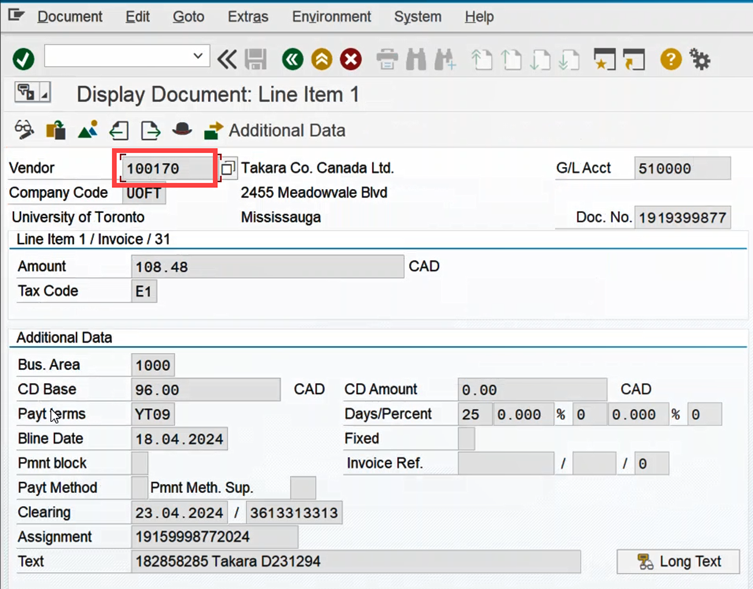
[/expand]
[expand title=”Step 4 – You will enter the Business Partner/Vendor Master Record screen. In the Address tab, scroll down.” expanded=”false” tag=”h4″]
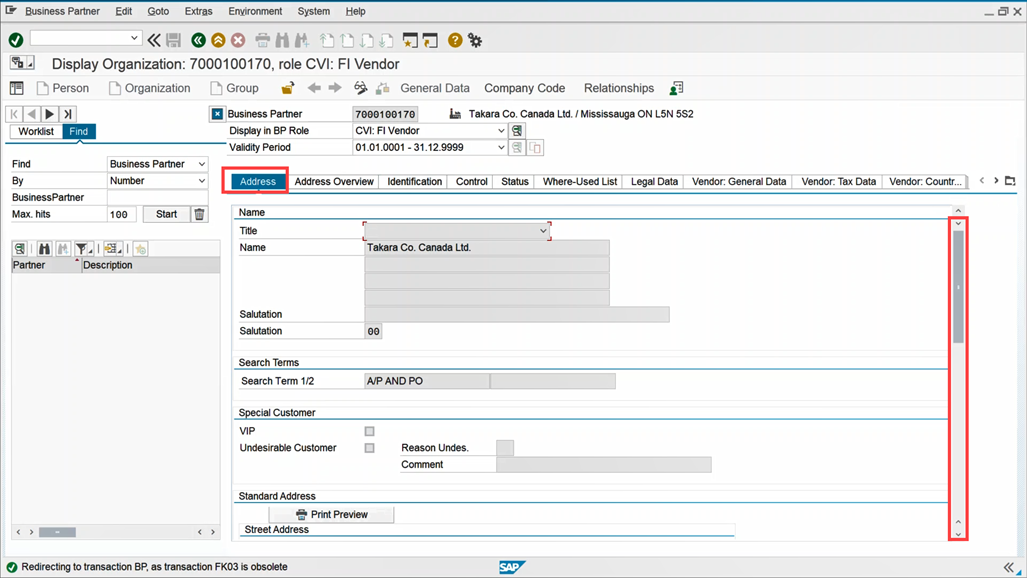
[/expand]
[expand title=”Step 5 – Locate the email address used to send the remittance statement.” expanded=”false” tag=”h4″]
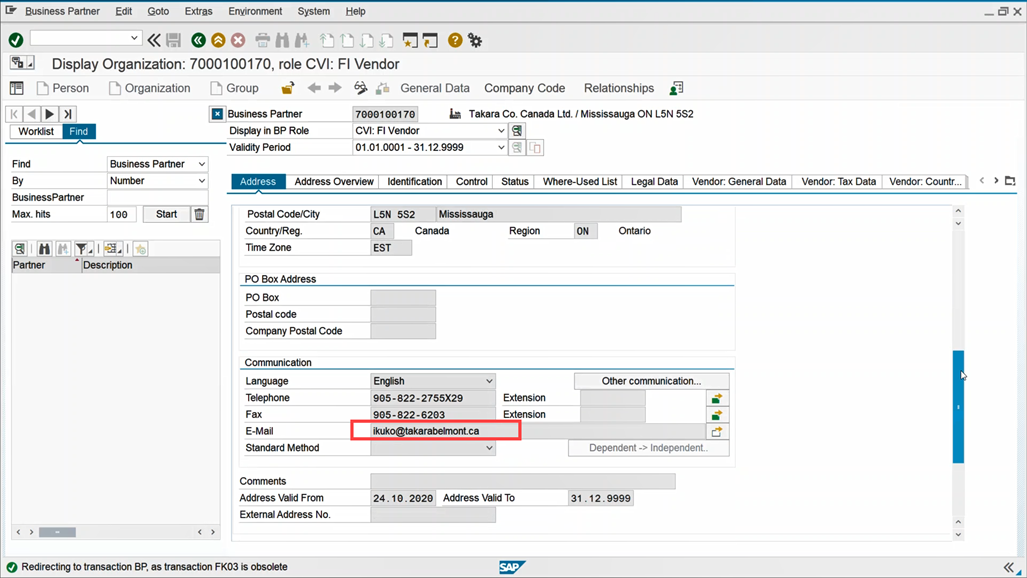
[/expand]
Learn More:
- Change Documentation – EFT Initiative
- Article – How will the vendor know when the EFT has been transmitted?
- Reference Guide – FB03 – Document Display
Last Updated: May 31, 2024